 MetMeSS 2026
Registration
Registration is open
Registration is handled by the IIT Kharagpur Continuing Education Programme (CEP) portal, not by this website. You will need to create an account there, complete your profile, and apply to the programme. The steps below walk through the whole process.
Find the programme
On the CEP portal, search for MetMeSS by name, or by the programme ID:
IIT/CEP/SYM/SYM/2026-2027/GG/164
The listing shows the programme as MetMeSS 2026 – 6th Symposium on Meteoroids Meteors Meteorites Messengers from Space, with duration 24 October 2026 to 29 October 2026. That span covers the outreach day, the pre-conference school, the symposium and the field trip. The symposium itself is 26–27 October.
Step by step
Payment is made online after your application is processed, not at the time of applying.
-
Sign up, then log in
Go to erp.iitkgp.ac.in/CEP/courses.htm and create an account. If you already have a CEP account from an earlier programme, just log in with it. You do not need an IIT Kharagpur ERP account, this portal is open to everyone.
The portal sends a confirmation to the email address you sign up with, so use one you check.
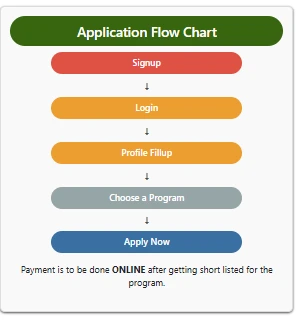
The application flow, as shown on the CEP portal. -
Fill up your profile
Complete every mandatory field in your profile before you try to apply. The portal will not let you submit an application while anything is missing. You will need:
- Full name and date of birth
- Mobile number and email address
- Gender and nationality
- Occupation, and your affiliating organisation, college or institute with its address
- A passport-style photograph and a scanned signature, both as image files
Keep the photo and signature files ready before you start. They are uploaded in the profile section and appear again on the review screen at step 5.
-
Find MetMeSS 2026 and click Apply Now
Once logged in, use the search box at the top of the programme listing page. Search by the name MetMeSS, or paste the programme ID IIT/CEP/SYM/SYM/2026-2027/GG/164.
The programme appears as a card with a Symposium tag. Check that the organisers shown are Prof. Saibal Gupta and Prof. Sujoy Kanti Ghosh, then click the APPLY NOW button at the bottom left of the card.
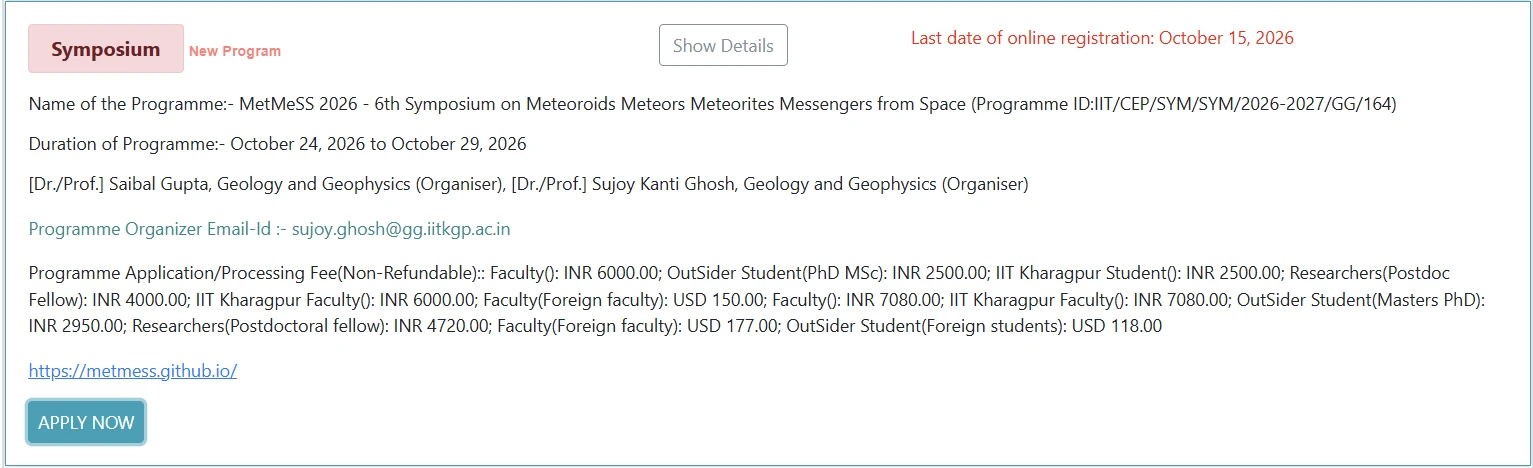
The programme card. APPLY NOW is at the bottom left; the registration deadline is at the top right. -
Select your category and fee type
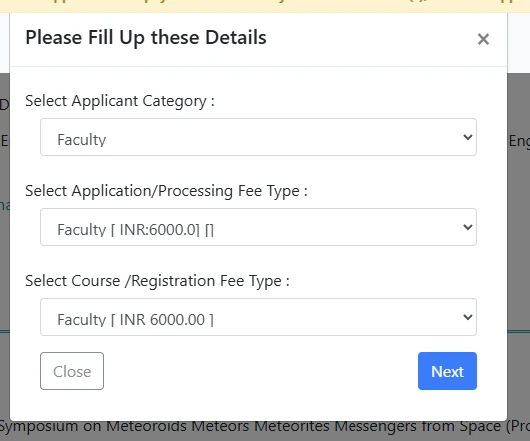
A dialog opens with three dropdowns. Fill them from top to bottom, because the later options depend on the earlier ones:
- Applicant Category – Faculty, Researchers, IIT Kharagpur Student, IIT Kharagpur Faculty, or OutSider Student
- Application / Processing Fee Type
- Course / Registration Fee Type
Choose the option without GST. Some categories list the same fee twice, once as a plain amount and once about 18% higher, for example Faculty at INR 6000 and at INR 7080. Select the plain amount. You are not required to pay the GST-inclusive figure.The four common cases look like this:
Faculty, INR 6,000 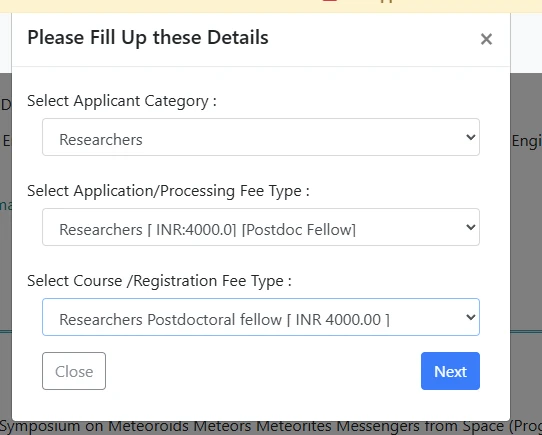
Researchers, postdoctoral fellow, INR 4,000 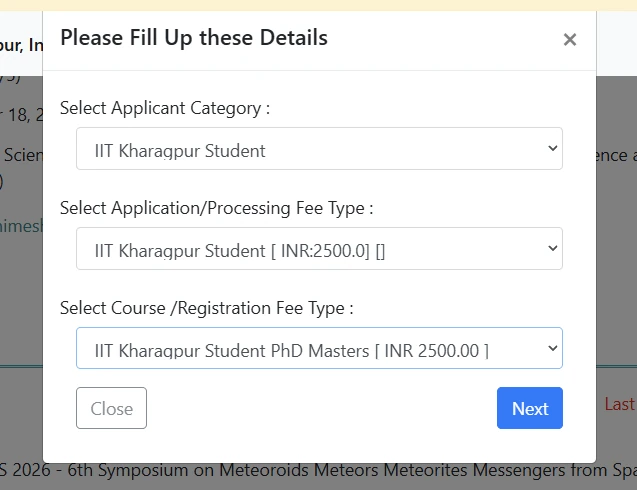
IIT Kharagpur student, INR 2,500 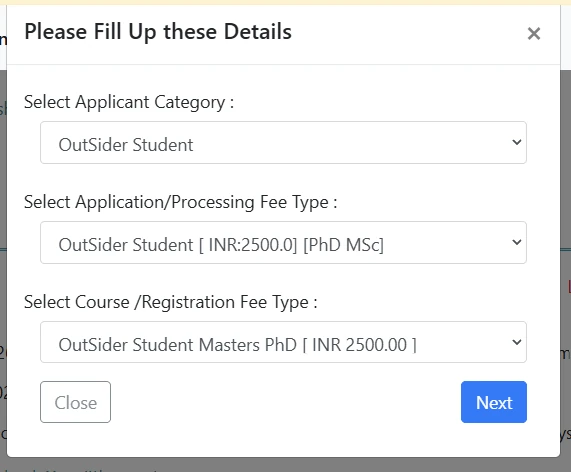
Student from another institute, INR 2,500 Click Next when the three dropdowns agree with each other.
-
Review the application, then confirm
The review screen shows the course title, the duration, the fee you selected, and the photograph and signature from your profile. Check all of it, in particular that the fee matches the category you intended.
If something is wrong, use the Edit button on the right rather than starting again. When everything is correct, click Confirm to register.
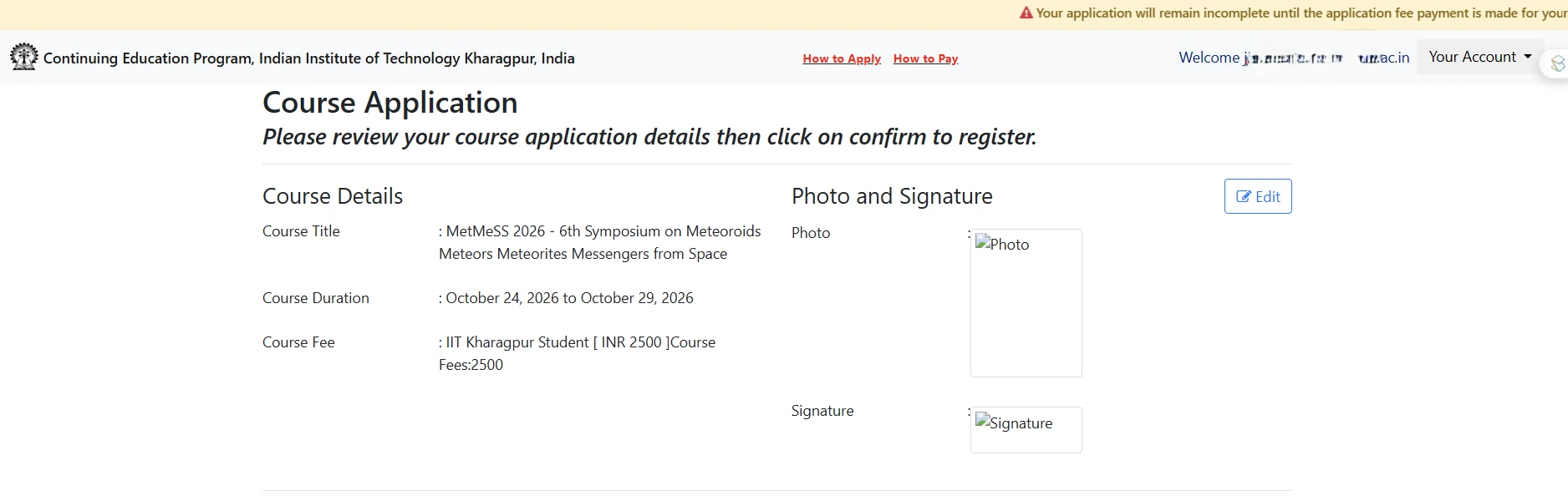
The review screen. Check the fee line before confirming. -
Wait for the application to be processed
After confirming, your application status reads Registered, Registration Confirmation in Process. The organising team reviews applications, and you will get an email from the portal once yours is processed.
You can return to the portal at any time to check the status, download your application with the Download Application button, or see what you have paid under Payment History.
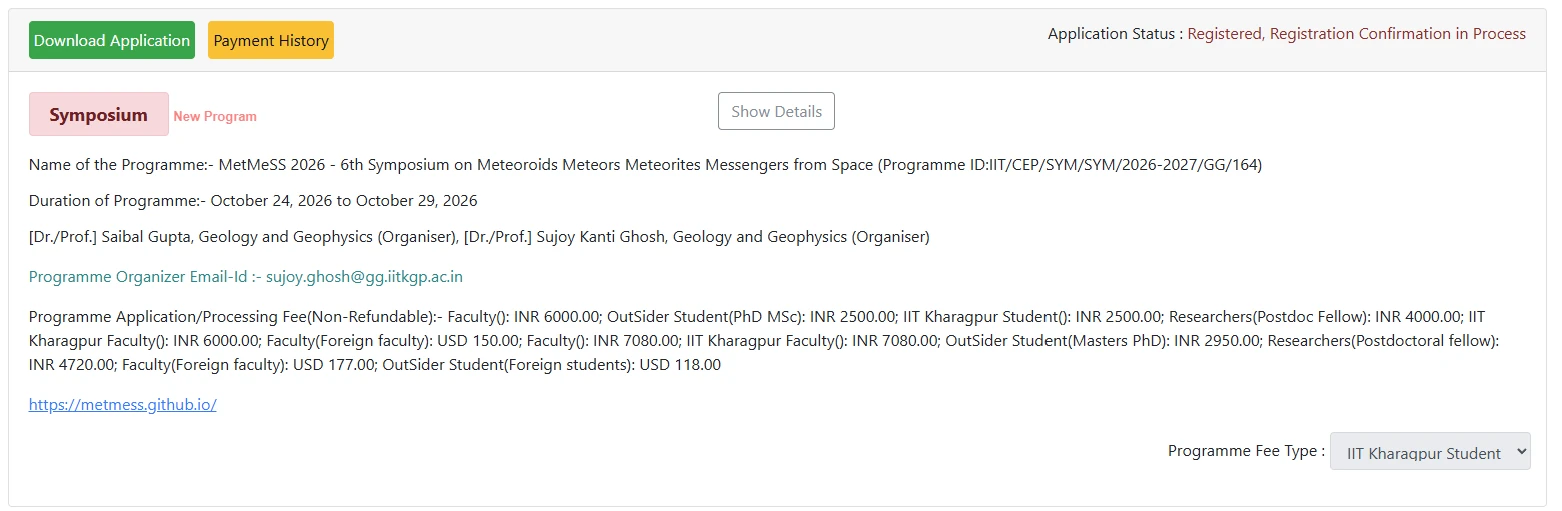
After confirming. The status line is at the top right. -
Make the payment online
Payment is made after your application is processed, not when you apply. The portal emails you the payment instructions. Follow the How to Pay link in the top bar of the CEP portal if you need guidance on the payment screens.
Your application stays incomplete until the fee is paid. The portal shows a banner saying exactly this. Applying alone does not secure your place.Keep the payment receipt. Quote your name and the programme ID in any correspondence about payment.
Registration fees
Select the amount without GST on the portal. The figures below are what you pay.
| Category | Indian | Foreign |
|---|---|---|
| Faculty / Scientist / Permanent staff | ₹6,000 | USD 150 |
| Postdoctoral fellow | ₹4,000 | USD 150 |
| PhD scholar | ₹2,500 | USD 100 |
| Student (UG / PG) | ₹2,500 | USD 100 |
Registration includes the conference kit, lunches and refreshments, and the banquet. There is no fee for the pre-conference school; selected participants are supported. The field trip is charged separately, details to follow.
If something goes wrong
- The Apply button does nothing. Your profile is incomplete. Go back and fill every mandatory field, including the photo and signature.
- You cannot find the programme. Search by the programme ID rather than the name, spellings of MetMeSS vary in listings.
- Questions about the portal, payment or your application status go to the programme organiser, sujoy.ghosh@gg.iitkgp.ac.in.
- Questions about the scientific programme, abstracts or the school go to metmess2026@gmail.com.